
InvenDo on the web
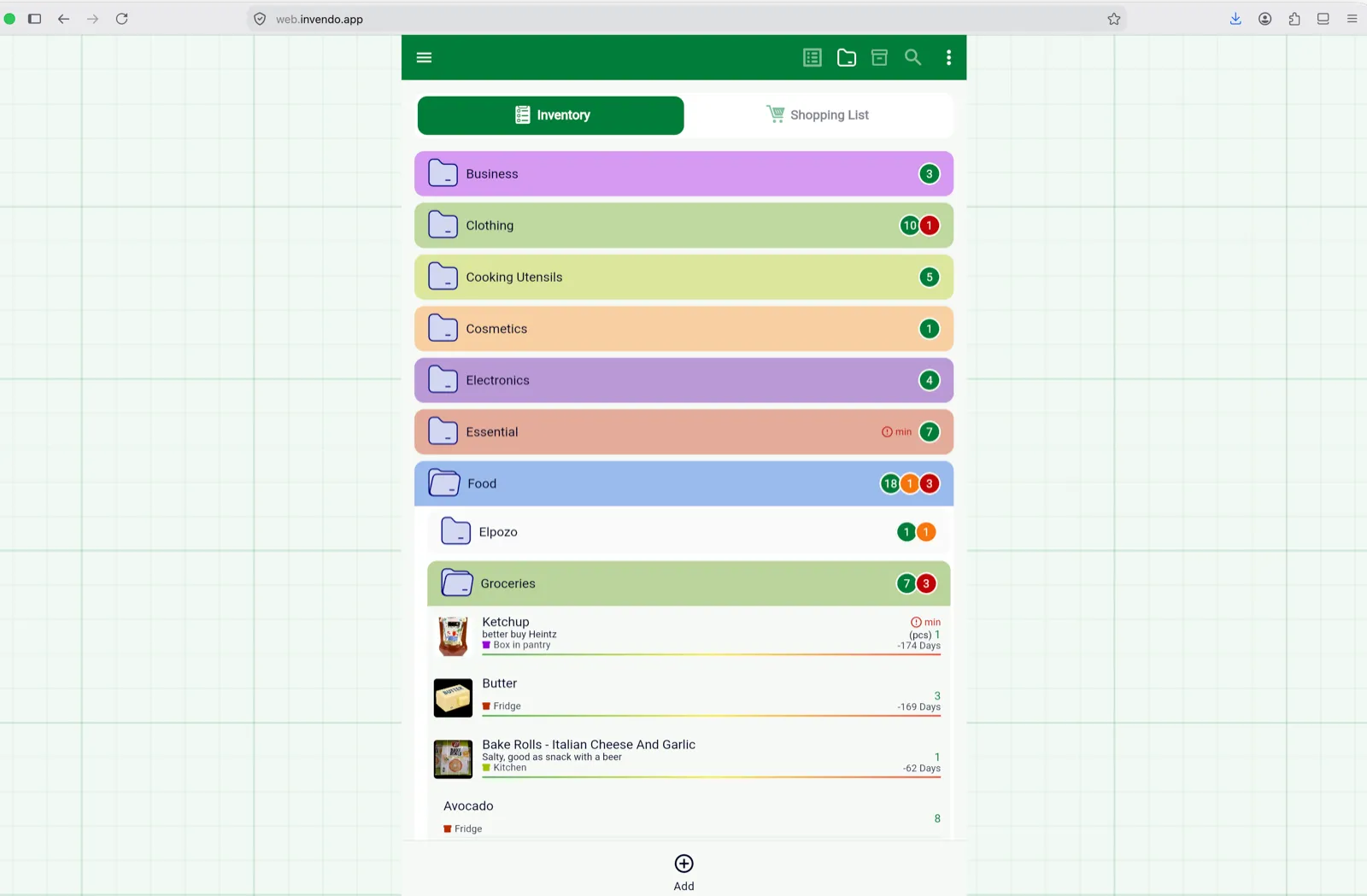
web.invendo.app is the same InvenDo, running in your browser: the same lists, updated live as you and your family change them on your phones. It’s handy for a bigger screen and a real keyboard — bulk edits, tidying the catalog, working through an Excel import.
Who can use it
Section titled “Who can use it”The web version is for Premium accounts. Sign in with the same Google or Apple account you use on your phone; if the account has no active subscription — Monthly, Yearly or Lifetime — you’ll see We couldn’t find an active subscription for your account with links to the app stores, because Premium can only be bought in the mobile app. See Free vs Premium.
Two consequences worth knowing: using InvenDo without an account isn’t possible in the browser, and the Premium check is per account, so someone who uses your shared list for free on their phone can’t open it on the web.
You stay signed in between visits until you log out.
What’s the same
Section titled “What’s the same”Everything about your data: both tabs, the catalog, categories, storage places, stores, units, sharing, Excel export and import, View Options, and your settings — theme, currency, calendar style. Changes sync both ways within seconds. If the connection drops, you can keep reading and editing; changes are sent when it returns.
On a desktop browser the app sits in a phone-width column in the middle of the page; in a mobile browser it fills the screen. The layout is the mobile layout: the menu ☰, the two tabs, the toolbar, and a bottom bar with just Add.
What’s different
Section titled “What’s different”| On the web | Instead |
|---|---|
| No camera scanning, and no online product lookup | Type barcodes into the Barcodes section of an item; products you scanned on your phone are all there. |
| No notifications | Reminders arrive on your phone. Colour warnings and days-left show as usual. |
| No Subscriptions screen | Buy, change or cancel Premium in the mobile app. |
| Photos come from a file, not a camera | Choose an image from your computer; the cropper works as on the phone. |
| Excel export downloads straight away | No Open / Share / Save choice — the file lands in your downloads folder. |
| Share List uses the browser’s share feature | Where the browser has none, the text is copied to the clipboard. |
| Voice search depends on the browser | Works in Chrome and similar; otherwise Speech recognition not supported. |
| No home-screen widget, no update banner | The web version is always the latest release — reload the page after a new version comes out. |
Good to know
Section titled “Good to know”- You can install the web version like an app: in Chrome, look for the install icon in the address bar; on a phone, use the browser’s Add to Home Screen.
- The browser keeps a local copy of your data for offline use; clearing the site’s data removes that copy (not your lists, which are in your account).
- Delete your account from the mobile app rather than the web version, where the confirmation sign-in isn’t available.
Still need help? Contact us