
Gratis o Premium
InvenDo es gratis todo el tiempo que quieras, sin límite en la cantidad de cosas que controlas. Premium (la versión de pago) añade los extras — fotos, más listas, compartir, la versión web — y una sola suscripción cubre a las personas con las que compartes.
Qué es gratis
Sección titulada «Qué es gratis»- Artículos ilimitados, con cantidades, unidades, precios, fechas de caducidad y cantidades mínimas
- Una lista, con su propio catálogo, categorías (de hasta dos niveles), lugares de almacenamiento, tiendas y unidades
- Recordatorios diarios de artículos caducados, a punto de caducar y de baja cantidad
- Seguimiento de artículos abiertos con fechas límite de consumo
- Escaneo de códigos de barras y búsqueda de productos
- Exportación a Excel
- Usar cualquier lista que alguien comparta contigo — con sus funciones Premium dentro (ver más abajo)
- Funciones y campos, Opciones de vista y todos los ajustes
Qué añade Premium
Sección titulada «Qué añade Premium»| Con Premium | Qué significa |
|---|---|
| Fotos | Añade una foto a cualquier artículo o lugar de almacenamiento, desde la cámara o la galería. La búsqueda de productos también importa fotos. |
| Iconos de almacenaje | Elige un icono para cada lugar de almacenamiento — consulta Lugares de almacenamiento. |
| Más listas | Crea listas adicionales — consulta Varias listas. |
| Compartir | Da acceso a tus listas a tus familiares — consulta Compartir con la familia. |
| Subcategorías profundas | Anida categorías de tres a cinco niveles — consulta Categorías. |
| Agregar todo a la Lista de Compras | Repón con un solo toque todo lo que se está acabando — consulta Cantidad Mínima y baja cantidad. |
| Importación desde Excel | Trae listas desde una hoja de cálculo — consulta Exportar e importar Excel. |
| La versión web | Usa InvenDo en el navegador en web.invendo.app — consulta InvenDo en la web. |
Un solo Premium para toda la casa
Sección titulada «Un solo Premium para toda la casa»Premium pertenece a tu cuenta y cubre a todos con los que compartes: dentro de una lista tuya, las personas a las que has dado acceso disponen de las funciones Premium — fotos, iconos, subcategorías profundas, Agregar todo a la Lista de Compras, importación desde Excel — sin necesidad de una suscripción propia. Dos cosas se quedan con la cuenta que paga: crear listas nuevas e invitar a más personas.
No funciona al revés: estar en la lista compartida de otra persona no convierte en Premium tus propias listas.
| Plan | |
|---|---|
| Mensualmente | Se renueva cada mes. Prueba gratuita de 7 días. |
| Anual | Se renueva cada año. Prueba gratuita de 7 días. |
| De por vida | Un solo pago, para siempre. Sin prueba. |
La prueba es gratis de verdad — Hoy no se te cobra nada. Cancela cuando quieras antes de que termine la prueba y no pagarás nada. Las suscripciones se compran a través de Google Play o del App Store y se renuevan allí hasta que las canceles.
Comprar, gestionar y cancelar
Sección titulada «Comprar, gestionar y cancelar»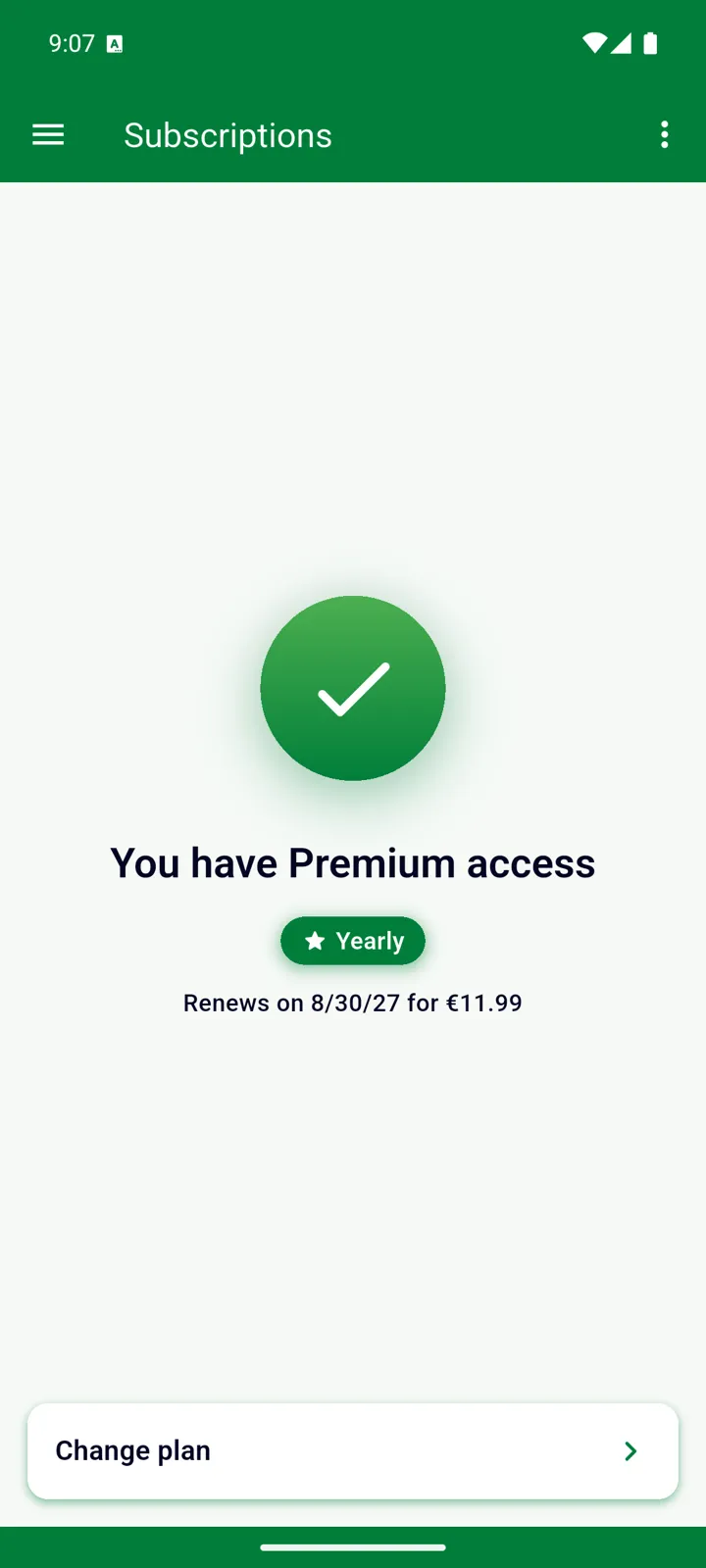
- Comprar: abre el menú ☰ → Suscripciones en tu teléfono o tableta. InvenDo también puede ofrecerte Premium una sola vez, justo después de que inicies sesión por primera vez. En la versión web no se pueden hacer compras.
- Consultar tu plan: con Premium, ☰ → Suscripciones muestra Tienes acceso Premium, tu plan y cuándo se renueva o caduca.
- Cambiar de plan: toca Cambiar plan en esa pantalla.
- Cancelar: ☰ → Suscripciones → ⋮ → Gestionar abre tu suscripción en Google Play o en el App Store. Cancelar detiene la renovación; Premium se mantiene hasta que termina el periodo pagado. Desinstalar la app no cancela la suscripción.
- ¿Teléfono nuevo o app reinstalada? Inicia sesión con la misma cuenta. Si Premium no aparece, ☰ → Suscripciones → ⋮ → Restaurar compras, o toca Restaurar compras en la pantalla de la oferta.
Conviene saber
Sección titulada «Conviene saber»- Premium está vinculado a tu cuenta de InvenDo, no al dispositivo: inicia sesión donde sea y ahí estará.
- Cuando una suscripción termina no se borra nada: tus listas adicionales pasan a ser de solo lectura hasta que renueves, y todo lo demás se queda como está.
¿Aún necesitas ayuda? Contáctanos